
 Australia
  Austria
  Belgium
  Brazil
  Canada
  Czech Republic
  Chile
Chile  Netherlands (EN)
  France
  Deutschland
  Ελλάδα
  Italia
  Ireland
  España
  Switzerland
  South Africa
  Polska
  Portugal (PT)
  Thailand
  Magyarország
  UK
UK  Norway
  New Zealand
  Finland
Bearo Account

Last Updated: Jun 25, 2026
Sports betting offer
550%, Up to €14,000 + 400 Free Spins
Bearo is Restricted

Bearo Casino Login & Registration
Registration
 Registration runs across two steps. The first is quick: email, password, and confirmation that you're 18 or older. The second asks for considerably more: first and last name, date of birth, gender, country, currency, phone number, city, address, and postal code. Everything entered here needs to match your identification documents exactly, since this information feeds directly into the verification process down the line. There's no option to sign up through Google or any other third-party platform, it's email and form fields only.
Login
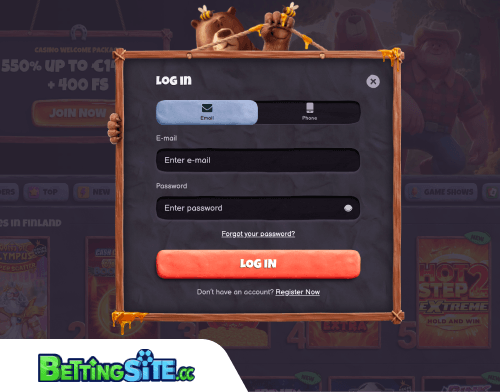
Logging in works the standard way: email and password, or phone number and password. Nothing unusual there.
Troubleshooting
If the password is lost, the recovery process is the usual one: click the “forgot password” button, enter the registered email address in the pop-up, and a reset link arrives by email. If that email doesn't show up, support can send a new password directly to the registered address. Forgetting the registered email entirely is a messier situation and requires contacting support via live chat or email to have a reminder sent.
Login problems that aren't password-related usually come down to a few things. The password is case-sensitive, so a stray caps lock will block access even with the correct credentials. A recently changed password that still isn't working is often a browser cache issue – clearing cookies and cache, or switching to a different browser, tends to resolve it. If none of that works, support asks that you take a screenshot of the error message that appears and attach it to the request, which speeds up the process on their end.
How to Sign Up at Bearo Casino
Create your login credentials
Head to the Bearo website and open the registration form. Enter your email address, set a password, and confirm that you're 18 or older. That's all the first step requires.

Fill in your personal details
The second step is more involved. You'll need to provide your first and last name, date of birth, gender, country, preferred currency, phone number, city, address, and postal code. Make sure everything matches your identification documents exactly – this information feeds directly into the verification process, and any mismatch can cause issues later.
Complete registration
There's no option to sign up via Google or any other third-party platform, so once the form is filled out, submit it and your account is created. Keep the email address you registered with somewhere accessible, you'll need it for login and any future account recovery.

It is straightforward with no bumps along the way. The process asks for more than just an email and password, but given that the details feed directly into verification later, it makes sense.