
 Australia
  Austria
  Belgium
  Brazil
  Canada
  Czech Republic
  Chile
Chile  Netherlands (EN)
  France
  Deutschland
  Ελλάδα
  Italia
  Ireland
  España
  Switzerland
  South Africa
  Polska
  Portugal (PT)
  Thailand
  Magyarország
  UK
UK  Norway
  New Zealand
  Finland
Atefia Account

Last Updated: Jun 29, 2026
Sports betting offer
130% Up to €500
Atefia is Restricted

Atefia Casino Login & Registration
Registration
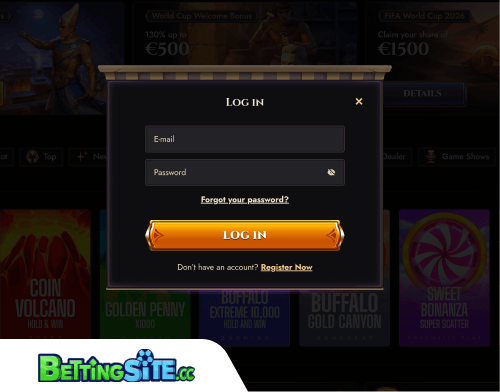 Registration at Atefia is held in 2 steps. The initial step involves entering basic details – email, password and accepting the terms. The second step requires additional information, including first and last name, date of birth, phone number, city, address and postcode. While this form is more extensive than some sites' initial registration, it aligns with standard KYC requirements, making it reasonable. Notably, there’s no option to register via Google or other third-party platforms; registration is only possible through email and password from start to finish.
Login
Logging in works the same way as almost everywhere: email, password, done. No Google sign-in, no social login options of any kind. It's functional, just bare.
Troubleshooting
On the troubleshooting side, Atefia covers the most common scenarios. If you forget your registered email address, contact support via live chat or email and an agent can help recover the details. If login fails despite entering what seems like the correct credentials, the first things to check are capitalization – passwords are case-sensitive, so Caps Lock being on is a common culprit and whether a recent password change might be causing a conflict with cached browser data. Clearing cookies and cache, or switching to a different browser, often resolves that. If none of that works, support is the next step.
Password recovery follows the standard process: clicking the “forgot password” option, entering the registered email address and receiving a reset link. If the email doesn't arrive, support can send a new password directly to the registered address.
How to Sign Up at Atefia Casino
Basic Details
Enter your email address, choose a password and accept the terms and conditions to get started.

Personal Information
Fill in your first and last name, date of birth, phone number, city, address and postcode. This step is more involved than most, but it's standard KYC groundwork. Once that's done, your account is ready.
Atefia Account in other lanugages

The signup was smooth enough, though I’ll admit I’m not the biggest fan of multistep forms – having to fill in the extra personal details on a second screen always feels like a bit much. That said, I get why it’s there, since it’s the same KYC information you’d have to provide eventually anyway. A Google sign-up option would’ve been a nice shortcut, but no issues came up regardless.