
 Australia
  Austria
  Belgium
  Brazil
  Canada
  Czech Republic
  Chile
Chile  Netherlands (EN)
  France
  Deutschland
  Ελλάδα
  Italia
  Ireland
  España
  Switzerland
  South Africa
  Polska
  Portugal (PT)
  Thailand
  Magyarország
  UK
UK  Norway
  New Zealand
  Finland
Bravoplay Mobile App

Last Updated: Apr 07, 2026
Sports betting offer
€1,000 125% Extra + 50 Free Spins
Bravoplay is Restricted

Bravoplay Casino Mobile app
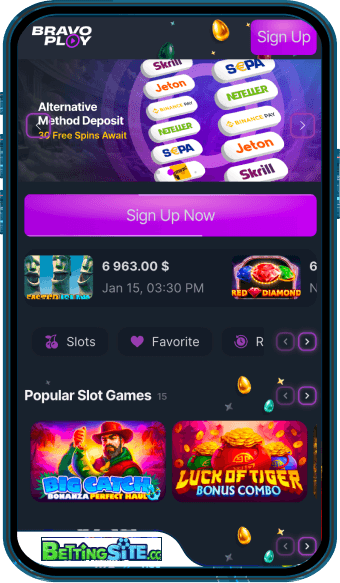 Bravoplay does not offer a native mobile app through the Apple App Store or Google Play Store. Instead, the casino has opted for a PWA – a Progressive Web App, which is essentially a version of the website that can be saved directly to a phone or tablet's home screen and used much like a regular app, without going through any official app store. It runs in the device's browser, so there is nothing to download in the traditional sense, and updates happen automatically in the background without any action required.
For iOS devices, the installation process works through Safari. Tapping the Share button at the bottom of the screen brings up a menu, from which “Add to Home Screen” is selected, followed by tapping “Add” to confirm. Once done, the Bravoplay icon appears on the home screen and opens directly into the casino interface, much like a conventional app would.
On Android, the process runs through Chrome. Open the Bravoplay website in Chrome, tap the three-dot menu in the top-right corner, and select “Add to Home Screen,” then “Install” to complete the setup. The result is the same: a home screen shortcut that launches the casino without needing to navigate through the browser each time.
The PWA approach has its practical advantages: there is no waiting for app store approval, no storage-heavy download, and the experience is accessible on virtually any modern smartphone regardless of operating system. That said, it is worth being clear about what a PWA is not. It is not a fully native application, and those accustomed to dedicated casino apps may notice differences in performance or functionality depending on their device and connection quality.
