
 Australia
  Austria
  Belgium
  Brazil
  Canada
  Czech Republic
  Chile
Chile  Netherlands (EN)
  France
  Deutschland
  Ελλάδα
  Italia
  Ireland
  España
  Switzerland
  South Africa
  Polska
  Portugal (PT)
  Thailand
  Magyarország
  UK
UK  Norway
  New Zealand
  Finland
Thrill Account

Last Updated: Mar 19, 2026
Sports betting offer
No Sports Welcome Bonus
Thrill is Restricted

Thrill Casino Login & Registration
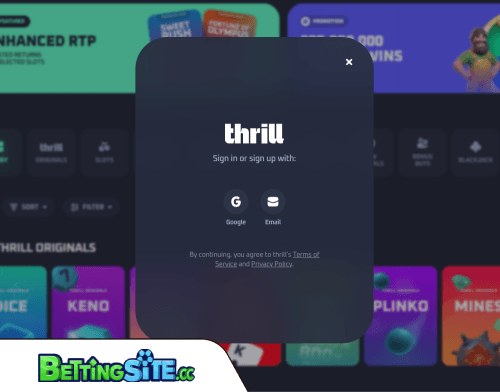 Getting started at Thrill is quick. There are 3 ways to create an account: email and password, Google, or Twitch. To begin, click the Sign In button at the top of the page and choose whichever method works best for you. The same three options are available every time you return to log in.
Registering with an email address takes just a few steps. Click Sign In, select the Email option, enter your email address along with a secure password, then click Create Account. That's the full process, no lengthy forms, no information beyond the basics at this stage.
Going through Google is even faster. Click Join Now, choose Continue with Google, select the Google account you want to use, and you're logged in immediately. There's no separate password to set or confirmation email to wait for. The authentication is handled entirely through your Google account.
Twitch is the third option, following the same general principle as Google, linking your existing Twitch account rather than creating separate login credentials specifically for Thrill. For anyone already active in gaming or streaming communities, it's a practical alternative.
One limitation worth knowing before you register: you cannot switch your login method after the fact. If you sign up with an email, you can't later link your Google or Twitch account to the same profile, and vice versa. Account linking is noted as a feature that's coming in the future, but it isn't available right now.
If you registered with an email and need to reset your password, click Forgot Password? on the sign-in screen. Thrill will send a secure reset link to your registered email address, allowing you to set a new one.
How to Sign Up at Thrill Casino
Go to Thrill.com and Click Sign In
Hit the Sign In button at the top of the page. You'll be presented with three registration options: email and password, Google, or Twitch.

Choose Your Registration Method
Pick the method you'll want to use long-term, you cannot switch between login methods after registration. Account linking is planned for the future but isn't available yet.
Register with Email
Select Email, enter your email address and a secure password, then click Create Account. Done, no lengthy forms or additional details required at this stage.
Register with Google
Click Join Now, choose Continue with Google, and select your Google account. You're logged in immediately, no password to set, no confirmation email to wait for.
Register with Twitch
Select the Twitch option and link your existing Twitch account. It follows the same instant authentication process as Google, no separate credentials needed.Select the Twitch option and link your existing Twitch account. It follows the same instant authentication process as Google, no separate credentials needed.
Confirm Your Jurisdiction
During signup, you'll be asked to declare that you're not located in a restricted jurisdiction. This is a formal requirement, geo-blocking is enforced through IP detection.
Start Playing
Your account is ready. Deposit using any supported cryptocurrency and start exploring the casino or sportsbook.

The three registration options, email, Google, and Twitch, cover most people’s preferences without overcomplicating things. Google and Twitch, in particular, are instant, no forms, no confirmation emails, just a couple of clicks and you’re in. It takes just a few seconds.